How can I access my K drive?
NCSU has a program that can connect you to your K drive from home called ExpanDrive. ExpanDrive is available for Mac and Windows. To download ExpanDrive, go to https://www.eos.ncsu.edu/software/downloads/, log in with your Unity ID and password, and download ExpanDrive for Windows or Mac.
For Windows Users
Installation
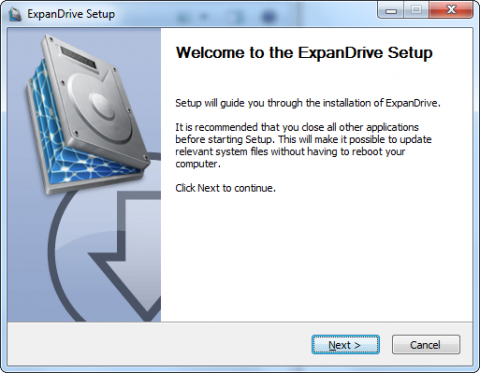
- Run the file you downloaded, ExpanDriveNCSU.exe and click “Next” to continue.
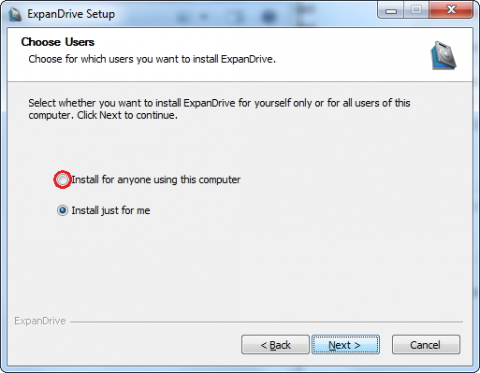
- Click on the radio button beside Install for anyone using this computer and click “Next” to continue.
-
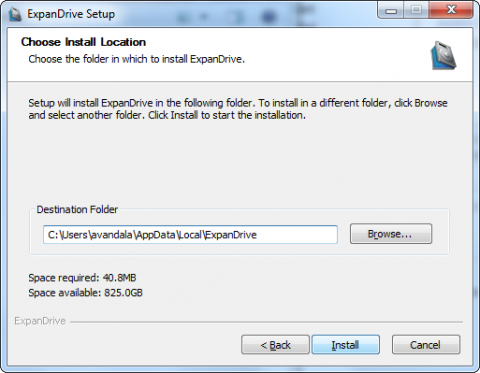
Click the Install button to begin the installation of the program.
- If you see a security warning, click Continue or Run.
- Once the installation is finished, you should see the ExpanDrive icon

Configuration
- Once you have opened ExpanDrive, click on the New Drive
 button at the bottom left corner
- At the New Drive window, click on the More Options
 link
link
- Type the following settings into their corresponding fields:
- Server: sftp.ncsu.edu
- Username: your Unity ID
- Password: your Unity password
- Save Password: configure however you'd like
- Authentication: Password (default)
- Port: 22 (default)
- Nickname: K Drive
- Remote path: leave blank
- Drive letter: K:
- Reconnect at logon: configure however you'd like (probably best to leave blank for laptops, as they are not always connected to networks on startup)
- When you click Connect, the drive contents should pop up in Windows Explorer.
For Mac Users
Installation
- Unzip the file you downloaded, ExpanDriveNCSU.zip
- Drag and drop the ExpanDrive application
into your Applications directory. - Double-click the ExpanDrive icon in your Applications folder to launch ExpanDrive.
Configuration
You will first need to open up the ExpanDrive Drive Manager. Click New Drive or the + button to add/configure a new drive.
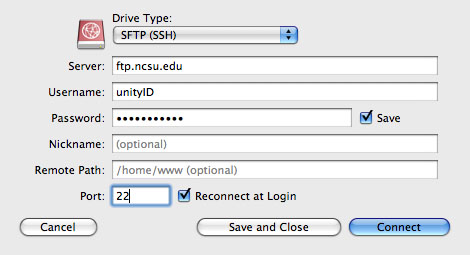
- To configure ExpanDrive for your personal K drive, use these settings
- Drive Type: SFTP (SSH)
- Server: sftp.ncsu.edu
- Username: your Unity ID
- Password: your Unity password
- Save: select the checkbox to save the password in your OS X keychain
- Drive Name: K Drive
- Remote Path: leave blank
- Port: 22 (default)
- Reconnect at logon: configure however you'd like (probably best to leave blank for laptops, as they are not always connected to networks on startup)